Upcoming events
16 upcoming events across the Zo community. Tap any event for details and to register.


Anyone can propose a Zo community event — you don't have to be an ambassador.
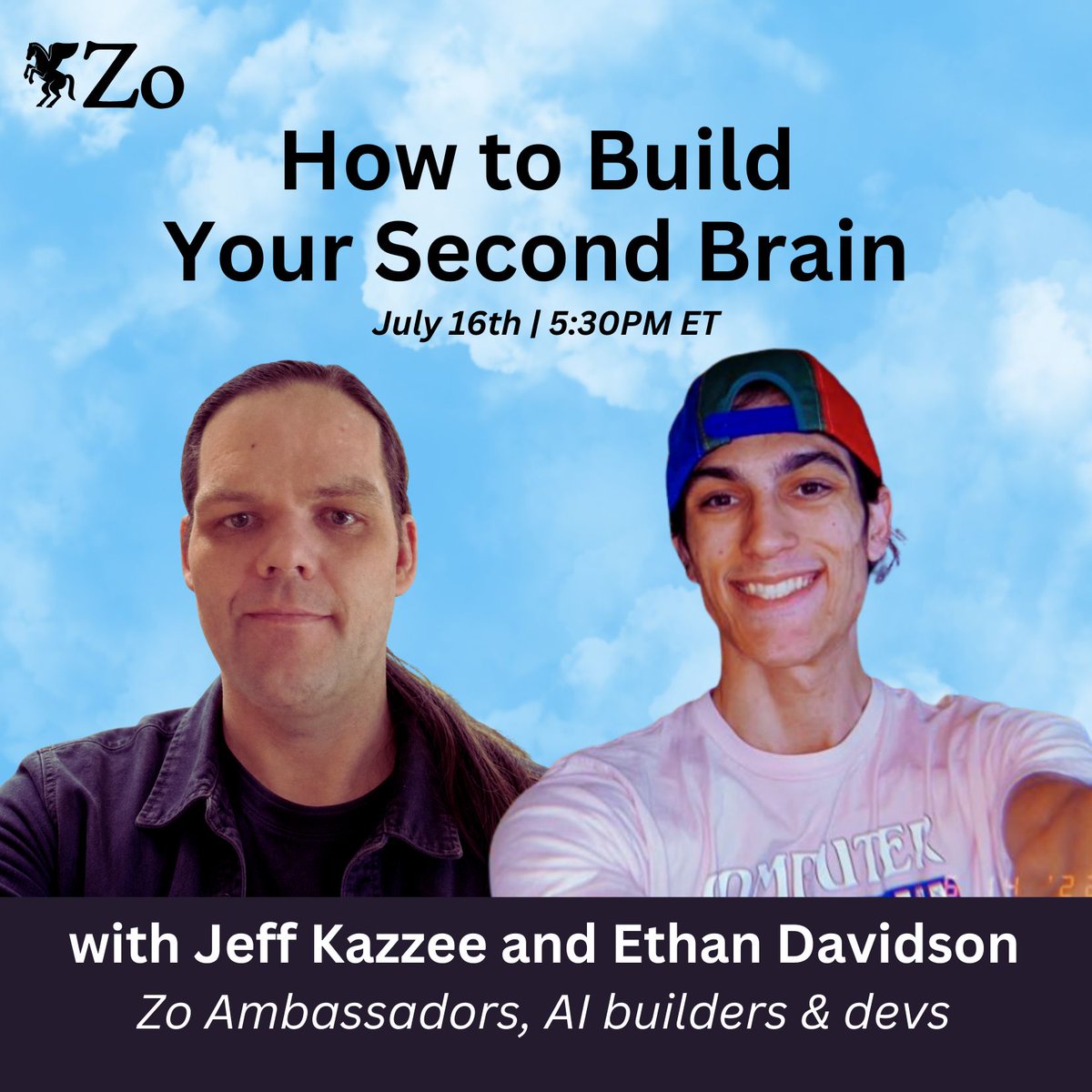
Build Your Second Brain on Zo!
Join us for a live build session with Zo Ambassadors Ethan Davidson and Jeff Kazzee as they build a second brain from scratch and show you the systems they use every day.
In this two hour session, you’ll build your second brain in Zo, a personal knowledge system your AI can actually use, then then feel what it's like to have everything you know, your notes, your projects, the people in your world, in one place on your Zo Computer and working for you, instead of scattered across your head and a dozen apps.
No prep needed. Bring a laptop and one thing you wish your AI remembered about you.
What we’ll cover:
- Fundamentals: The core idea: your AI gets smart when it can read your own notes and context. We’ll cover the second brain concept, how markdown and [AGENTS.md](https://AGENTS.md) work, and much more. By the end you’ll know exactly what you’re building and why it works.
- Hands on Build: You’ll build your first second brain from scratch, live. A few files about you, your work, and the people in your world, connected so Zo can follow the thread and answer real questions about your life.
- Depth: How to keep your system alive instead of letting it go stale, plus a look at the advanced moves: brains that update themselves while you sleep.
- Demos: See live examples of second brain systems built on Zo that people use every day, and leave with a clear plan to keep building yours.
About Ethan and Jeff:
Ethan Davidson is an AI developer, ex-Google SWE intern, open-source engineer, and community builder. He is the founder of Wazoo, building Worlds: an open-source memory layer for AI agents. His work focuses on reliable AI infrastructure that helps people, from his family's print shop to autonomous agent systems.
Jeff Kazzee is an independent AI builder and Zo Computer Ambassador. He builds practical AI workflows, community tools, and knowledge systems, including Zo Cookbook and a linked Second Brain that agents can read and maintain with human approval gates. His work focuses on helping people turn AI from a blank chat box into a usable working system they can inspect, verify, and keep using.
About Zo Computer:
Zo Computer is a personal computer in the cloud that can be controlled by both you and your AI. Create and automate anything with AI. You’ll receive a cloud workspace and personal server designed for human-AI collaboration. Craft workflows and projects in one place. Own everything you make.
Zo Ambassador Platform Demo
Quick demo and onboarding to the new Zo Ambassador Platform!
Zo Community Build Hours
Join the Zo team and other builders for our weekly working session. Bring what you're building, get unstuck, and watch others solve real problems in real-time.
Each week, we kick off with a quick showcase: the Zo team shares what we're shipping, and community members demo what they've built. Then we open it up, show us what you're working on, share your screen, and we'll build together. Whether you're stuck on a specific feature, want feedback on your approach, or just need a second pair of eyes, this is live troubleshooting and collaborative building.
This isn't a webinar. It's a working session. Come with something you're building on Zo (or want to start building), and leave with progress. You'll see how others are using Zo, get direct help from the team, and build alongside the community.
Zo IRL Vol. 1
One night. Two cities. One community.
Zo IRL is a creator-focused networking event for people building with AI — filmmakers, designers, solopreneurs, artists who use tech as a tool, not a crutch. No pitch competition, no panels. Just real people doing real work, in the same room.
This evening is about how AI can empower you as an artist and give you more time to create. Bring your laptop, an idea or a problem you're currently facing.
Come see what people in the Zo community are making to aid in their creative process and leave with ideas, contacts, and a few things you want to build next week!
Coffee will be served and a live printing press will be available, so bring any clothing you'd like to enhance! Everyone will receive $100 in AI credits + a chance to win up to $1250 in cash prizes!
Hosted by: Zo Ambassadors Hansel Alonzo, Ethan Davidson and Jordan Oram and Zo Computer
Brought to you by: Zo Computer
RSVP below. Space is limited.
Zo Community Build Hours
Join the Zo team and other builders for our weekly working session. Bring what you're building, get unstuck, and watch others solve real problems in real-time.
Each week, we kick off with a quick showcase: the Zo team shares what we're shipping, and community members demo what they've built. Then we open it up, show us what you're working on, share your screen, and we'll build together. Whether you're stuck on a specific feature, want feedback on your approach, or just need a second pair of eyes, this is live troubleshooting and collaborative building.
This isn't a webinar. It's a working session. Come with something you're building on Zo (or want to start building), and leave with progress. You'll see how others are using Zo, get direct help from the team, and build alongside the community.
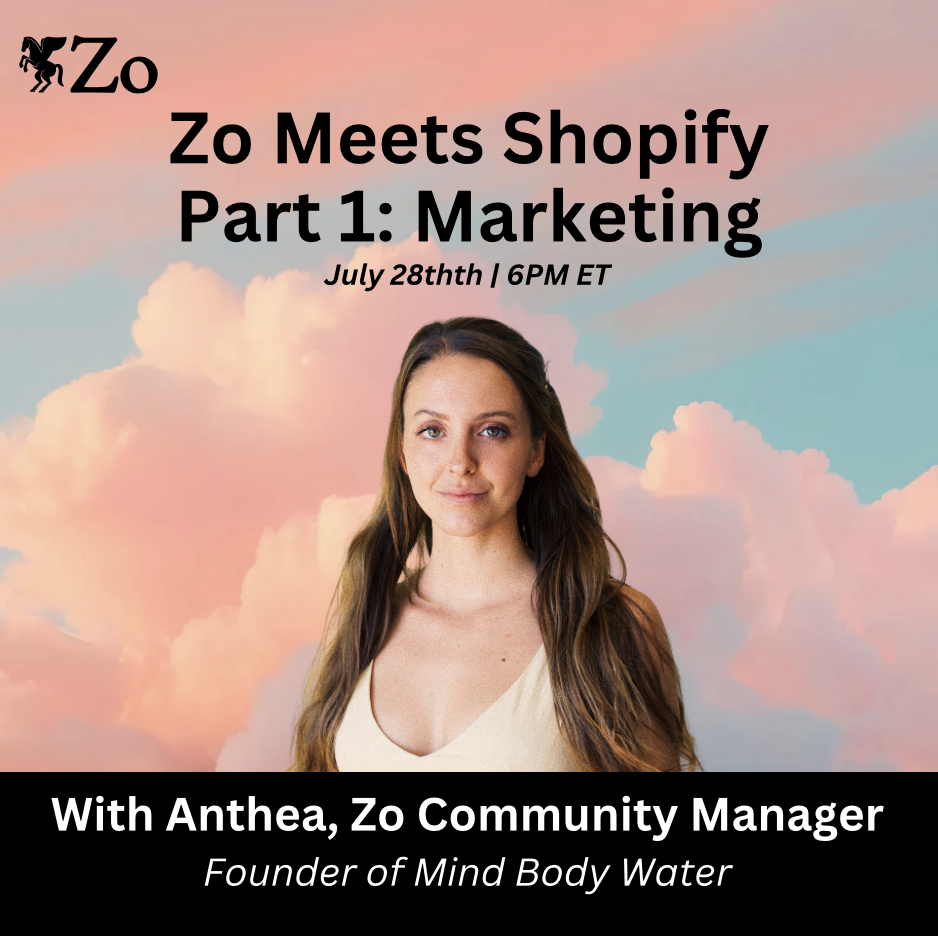
Zo Meets Shopify Part 1: Marketing
Zo Meets Shopify — Part 1: Marketing
What if your storefront didn't need a monthly subscription, a plugin graveyard, or a team to keep it alive?
This is a \two-part series\ on what happens when you bring your online store onto Zo. We'll show you exactly how Zo can support — and in a lot of cases fully replace — the tools you're currently paying for.
Part 1 is Marketing (getting found and getting loved). \*
Part 2 is Sales (closing the loop and getting paid).
Come to one, or come to both!
Part 1 is all about the front of the house — how you attract, capture, and keep attention without paying for a stack of marketing plugins. Landing pages, email capture, content, campaigns, and the design that makes people stop scrolling — all native to Zo, no app store required.
Featuring Phoenix, who got off Shopify entirely and rebuilt their whole tech stack on Zo. You'll see how the storefront, the story, and the funnel now live in one place.
What you'll leave with
\- How to build pages and campaigns that convert, natively on Zo
\- The marketing tools you can stop paying for
\- Phoenix's real before-and-after on reach, engagement and user experience
Who this is for
Founders and makers who want their brand to land — without duct-taping ten subscriptions together (and getting a headache), AND are interested in being FULLY independent owners (no more relying on Saas).
Part 1 sets the vision. Save your spot. Bring your questions, and then join us for Part 2 one week later (sales with Joanna) 🐎
Zo Community Build Hours
Join the Zo team and other builders for our weekly working session. Bring what you're building, get unstuck, and watch others solve real problems in real-time.
Each week, we kick off with a quick showcase: the Zo team shares what we're shipping, and community members demo what they've built. Then we open it up, show us what you're working on, share your screen, and we'll build together. Whether you're stuck on a specific feature, want feedback on your approach, or just need a second pair of eyes, this is live troubleshooting and collaborative building.
This isn't a webinar. It's a working session. Come with something you're building on Zo (or want to start building), and leave with progress. You'll see how others are using Zo, get direct help from the team, and build alongside the community.
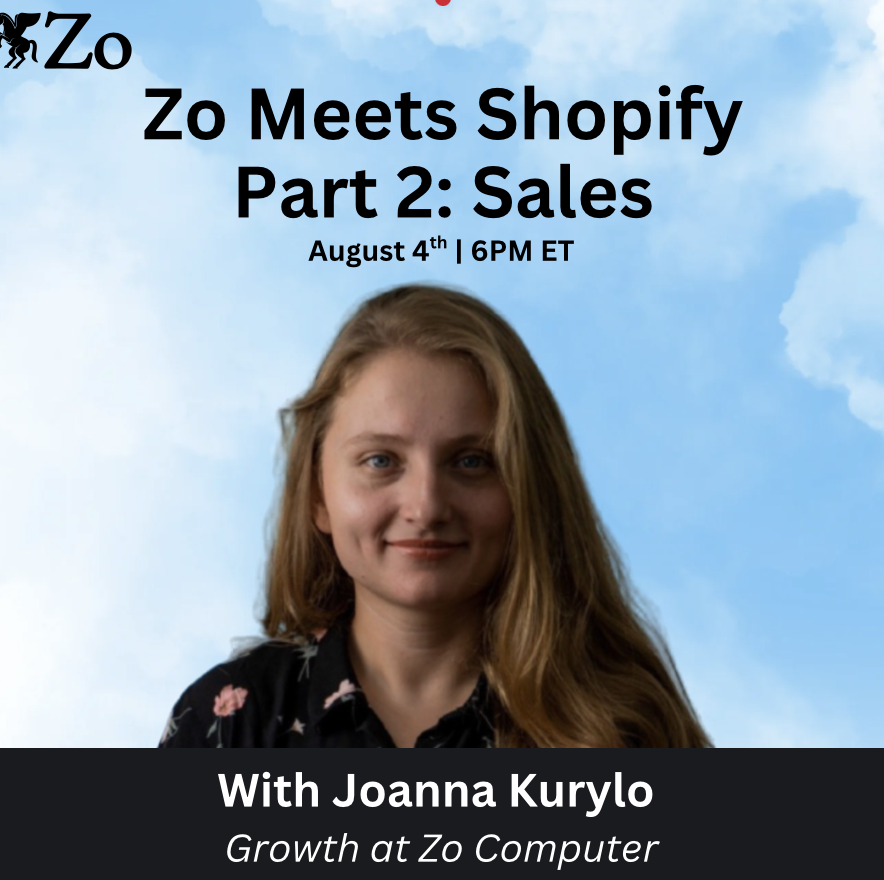
Zo Meets Shopify Part 2: Sales
Zo Meets Shopify — Part 2: Closing the Loop & Getting Paid
What if your storefront didn't need a monthly subscription, a plugin graveyard, or a team to keep it alive?
This is a two-part series on what happens when you bring your online store onto Zo. We'll show you exactly how Zo can support — and in a lot of cases fully replace — the tools you're currently paying for.
This isn't a "Shopify is bad" pitch. It's a "here's what's now possible" show-and-tell — real stores, real setups, real numbers.
Part 2 is the back of the house — checkout, payments, orders, fulfillment, and everything that turns a browser into a buyer. We'll show you how Zo can support (and in a lot of cases fully replace) the sales machinery you're renting from Shopify today.
Featuring Anthea & Phoenix, who both got off Shopify entirely and now run their whole sales flow on Zo. Phoenix & Anthea will walk you through the switch: what it costs now, what got simpler, and how the numbers actually shook out.
What you'll leave with
\- How selling and getting paid works on Zo, end to end
\- The real cost comparison — Shopify fees vs. life after them
\- Answers to "but can it handle \_\_\_?" live, from someone who's done it
Who this is for?
Shop owners ready to stop paying the storefront tax (to Shopify) and own their sales and tech stack.
Part 2 gets hands-on. Bring your questions! 🐎
Zo Community Build Hours
Join the Zo team and other builders for our weekly working session. Bring what you're building, get unstuck, and watch others solve real problems in real-time.
Each week, we kick off with a quick showcase: the Zo team shares what we're shipping, and community members demo what they've built. Then we open it up, show us what you're working on, share your screen, and we'll build together. Whether you're stuck on a specific feature, want feedback on your approach, or just need a second pair of eyes, this is live troubleshooting and collaborative building.
This isn't a webinar. It's a working session. Come with something you're building on Zo (or want to start building), and leave with progress. You'll see how others are using Zo, get direct help from the team, and build alongside the community.
Zo Community Build Hours
Join the Zo team and other builders for our weekly working session. Bring what you're building, get unstuck, and watch others solve real problems in real-time.
Each week, we kick off with a quick showcase: the Zo team shares what we're shipping, and community members demo what they've built. Then we open it up, show us what you're working on, share your screen, and we'll build together. Whether you're stuck on a specific feature, want feedback on your approach, or just need a second pair of eyes, this is live troubleshooting and collaborative building.
This isn't a webinar. It's a working session. Come with something you're building on Zo (or want to start building), and leave with progress. You'll see how others are using Zo, get direct help from the team, and build alongside the community.
Zo Community Build Hours
Join the Zo team and other builders for our weekly working session. Bring what you're building, get unstuck, and watch others solve real problems in real-time.
Each week, we kick off with a quick showcase: the Zo team shares what we're shipping, and community members demo what they've built. Then we open it up, show us what you're working on, share your screen, and we'll build together. Whether you're stuck on a specific feature, want feedback on your approach, or just need a second pair of eyes, this is live troubleshooting and collaborative building.
This isn't a webinar. It's a working session. Come with something you're building on Zo (or want to start building), and leave with progress. You'll see how others are using Zo, get direct help from the team, and build alongside the community.
Zo Community Build Hours
Join the Zo team and other builders for our weekly working session. Bring what you're building, get unstuck, and watch others solve real problems in real-time.
Each week, we kick off with a quick showcase: the Zo team shares what we're shipping, and community members demo what they've built. Then we open it up, show us what you're working on, share your screen, and we'll build together. Whether you're stuck on a specific feature, want feedback on your approach, or just need a second pair of eyes, this is live troubleshooting and collaborative building.
This isn't a webinar. It's a working session. Come with something you're building on Zo (or want to start building), and leave with progress. You'll see how others are using Zo, get direct help from the team, and build alongside the community.
Zo Community Build Hours
Join the Zo team and other builders for our weekly working session. Bring what you're building, get unstuck, and watch others solve real problems in real-time.
Each week, we kick off with a quick showcase: the Zo team shares what we're shipping, and community members demo what they've built. Then we open it up, show us what you're working on, share your screen, and we'll build together. Whether you're stuck on a specific feature, want feedback on your approach, or just need a second pair of eyes, this is live troubleshooting and collaborative building.
This isn't a webinar. It's a working session. Come with something you're building on Zo (or want to start building), and leave with progress. You'll see how others are using Zo, get direct help from the team, and build alongside the community.
Zo Community Build Hours
Join the Zo team and other builders for our weekly working session. Bring what you're building, get unstuck, and watch others solve real problems in real-time.
Each week, we kick off with a quick showcase: the Zo team shares what we're shipping, and community members demo what they've built. Then we open it up, show us what you're working on, share your screen, and we'll build together. Whether you're stuck on a specific feature, want feedback on your approach, or just need a second pair of eyes, this is live troubleshooting and collaborative building.
This isn't a webinar. It's a working session. Come with something you're building on Zo (or want to start building), and leave with progress. You'll see how others are using Zo, get direct help from the team, and build alongside the community.
Zo Community Build Hours
Join the Zo team and other builders for our weekly working session. Bring what you're building, get unstuck, and watch others solve real problems in real-time.
Each week, we kick off with a quick showcase: the Zo team shares what we're shipping, and community members demo what they've built. Then we open it up, show us what you're working on, share your screen, and we'll build together. Whether you're stuck on a specific feature, want feedback on your approach, or just need a second pair of eyes, this is live troubleshooting and collaborative building.
This isn't a webinar. It's a working session. Come with something you're building on Zo (or want to start building), and leave with progress. You'll see how others are using Zo, get direct help from the team, and build alongside the community.
Zo Community Build Hours
Join the Zo team and other builders for our weekly working session. Bring what you're building, get unstuck, and watch others solve real problems in real-time.
Each week, we kick off with a quick showcase: the Zo team shares what we're shipping, and community members demo what they've built. Then we open it up, show us what you're working on, share your screen, and we'll build together. Whether you're stuck on a specific feature, want feedback on your approach, or just need a second pair of eyes, this is live troubleshooting and collaborative building.
This isn't a webinar. It's a working session. Come with something you're building on Zo (or want to start building), and leave with progress. You'll see how others are using Zo, get direct help from the team, and build alongside the community.